An Apify Actor live
Google Maps scraper for local business leads
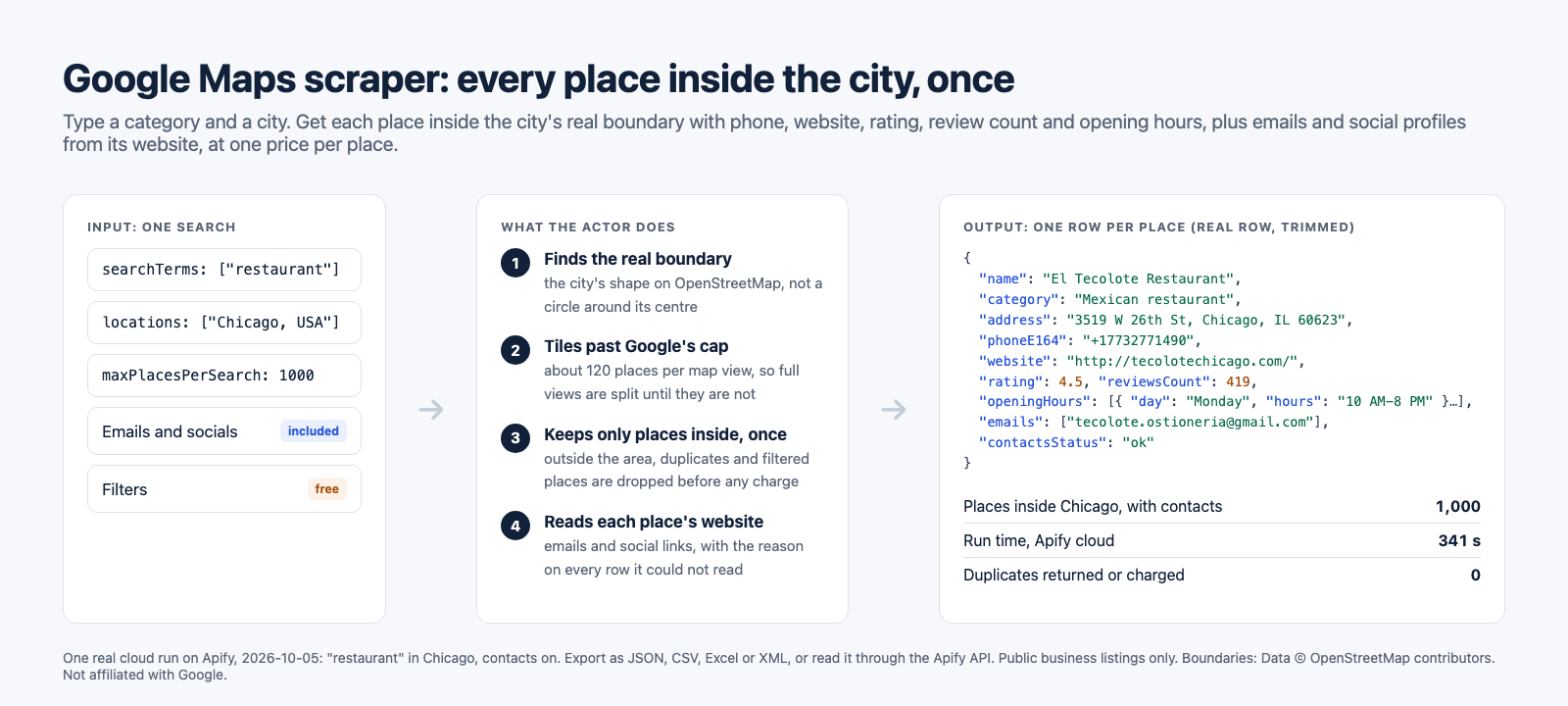
Type a category and a city. Get every place Google Maps shows inside that city's real boundary: name, address, phone, website, rating, review count, the week's opening hours and, if you want them, emails and social profiles from each place's own website. One row per place, never twice, at $1.50 per 1,000 places with everything included.
What you get
One row per place, every column on every row.
Where Google Maps shows nothing, the field is null rather than guessed, so a CSV export has the same columns whatever the place. Fill rates below are from three cloud runs of 1,000 places each: Lyon restaurants, Berlin dentists, Chicago restaurants.
| Data | Fields | Rows filled |
|---|---|---|
| Identity | Name, category and all categories, Place ID, CID, Knowledge Graph ID, Google Maps URL | 100% (CID 71% to 85%) |
| Address | Full address, street, neighborhood, city, postcode, state, country, coordinates, time zone | 99% to 100% |
| Phone | As displayed, and in E.164 | 88% / 97% / 94% |
| Website | The place's own site | 75% / 78% / 73% |
| Rating and reviews | Rating and review count | Rating 87% to 96%, review count 87% to 96% |
| Opening hours | The full week, plus Google's status line and closed flags | 82% to 92% |
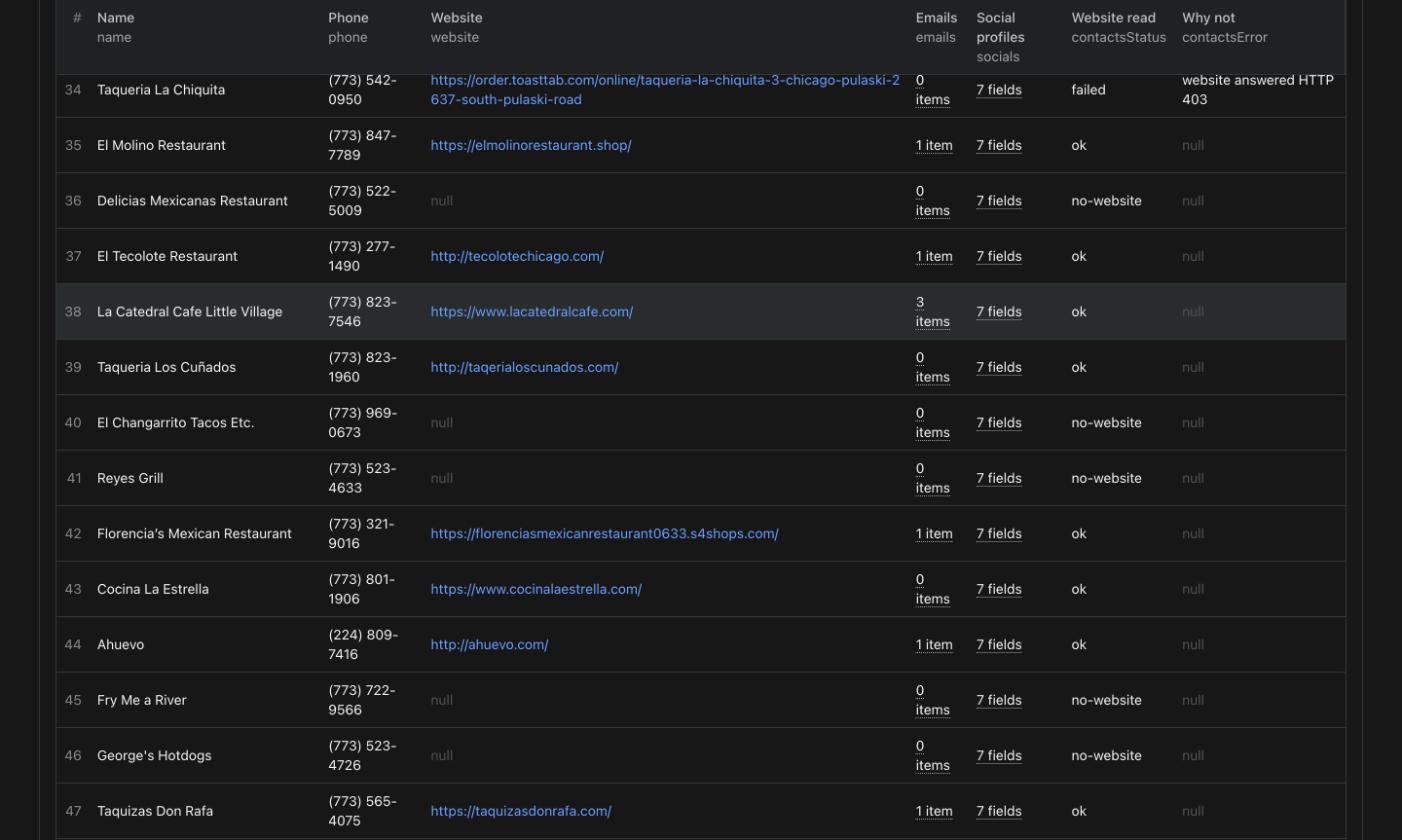
| Contacts (opt-in) | Emails (all of them, plus the first in a single email column for CSV exports) and Facebook, Instagram, LinkedIn, X, YouTube, TikTok, Pinterest links | Email on 27% to 78% of websites |
| Search context | Search term, resolved area, rank, read time | 100% |
How it works
Past the 120-place wall, and only inside your area.
- The real boundary. Each location you type is resolved once on OpenStreetMap to the shape of the place, not a circle around its centre. A drawn GeoJSON area works too.
- Tiles past the cap. Google stops at about 120 to 170 places per map view. The Actor cuts the area into tiles about 5 km wide, reads each one, and splits the tiles that are still full until Google runs out of places.
- Strict boundary before the charge. Google pads every answer with places from around the view. Each place is tested against the area's shape and dropped if it lies outside, before it is delivered or charged.
- Once per run. Overlapping tiles, terms and locations return the same places again; each is delivered and charged once. 0 duplicates in 3,000 rows.
- Contacts, opt-in. The Actor reads the place's own homepage, then up to three contact or imprint pages that site links, for emails and social profiles. Never a crawl, never behind a login. How the email extractor reads websites, and the fill by trade.
- An honest status. Each search in the run summary is ok, partial or failed, with the reason: tiles that could not be read, tiles still full at the smallest view, or short answers that look capped by Google.
Measured in the cloud
1,000 places in under six minutes.
The proxy matters. Google caps some datacenter addresses at about 20 places per view: earlier builds on datacenter returned 196 to 635 Lyon restaurants while reporting success; the current build on datacenter returned 658 and marks the search partial with the reason. On residential proxy, the default, the same search returned 1,000.
Measured against the leader
The most used Google Maps scraper on Apify, point by point.
compass/crawler-google-places, read on 2026-10-26: its prices and run counts from the Apify Store API, its features from its README and input schema. Ours from our cloud runs and our own Store record. We did not run the leader; it publishes no speed figure, so none is compared.
| Point | compass/crawler-google-places | This Actor |
|---|---|---|
| Price per 1,000 places with hours, review count and emails | Up to $6.00 on Apify's Free plan (place $4.00 plus contacts add-on $2.00; opening hours and review count are in its base row), about $5.50 when three places in four have a website, as in our Lyon, Berlin and Chicago runs. Up to $5.00 (about $4.50) on Starter, up to $2.55 (about $2.30) on Business | $1.50 on Free and Starter, $1.20 on Business, everything included |
| Filters (rating, reviews, website or no website, category, excluded words...) | $1.00 per 1,000 places per filter on Free and Starter, its with-or-without-website filter included; no minimum review count and no excluded words in its form (build read 2026-11-05) | Free, all of them, and filtered places are not charged |
| Emails and social links | Add-on charged for each place that has a website, none for a place without one (Apify's help article on its pricing, read 2026-10-26) | In the place price, and every row says why its email column is empty |
| Locations per run | One location query; more through drawn polygons or its separate Orchestrator Actor | Up to 50 locations times 50 terms, plus drawn areas |
| Input by Google Maps URL or place ID | Yes, charged with its details add-on | Not offered |
| Reviews, images, popular times | Add-ons | Not offered |
| Price range | Offered (fill rate not published) | Rare: 4 of 4,658 rows |
| Public runs in the last 30 days | 3,919,119 of 4,074,995 succeeded (96.2%), 44,778 monthly users | 21 of 25 succeeded, 4 timed out; since build 0.1.20 (2026-10-26) a run stops itself before its timeout |
Where we lose: the leader sells reviews, images, popular times and leads enrichment, takes Google Maps URLs and place IDs as input, and has millions of runs behind its success rate. Where it loses: emails and every filter cost extra there, and it takes one location query per run (more through drawn polygons or its separate Orchestrator Actor).
A real run
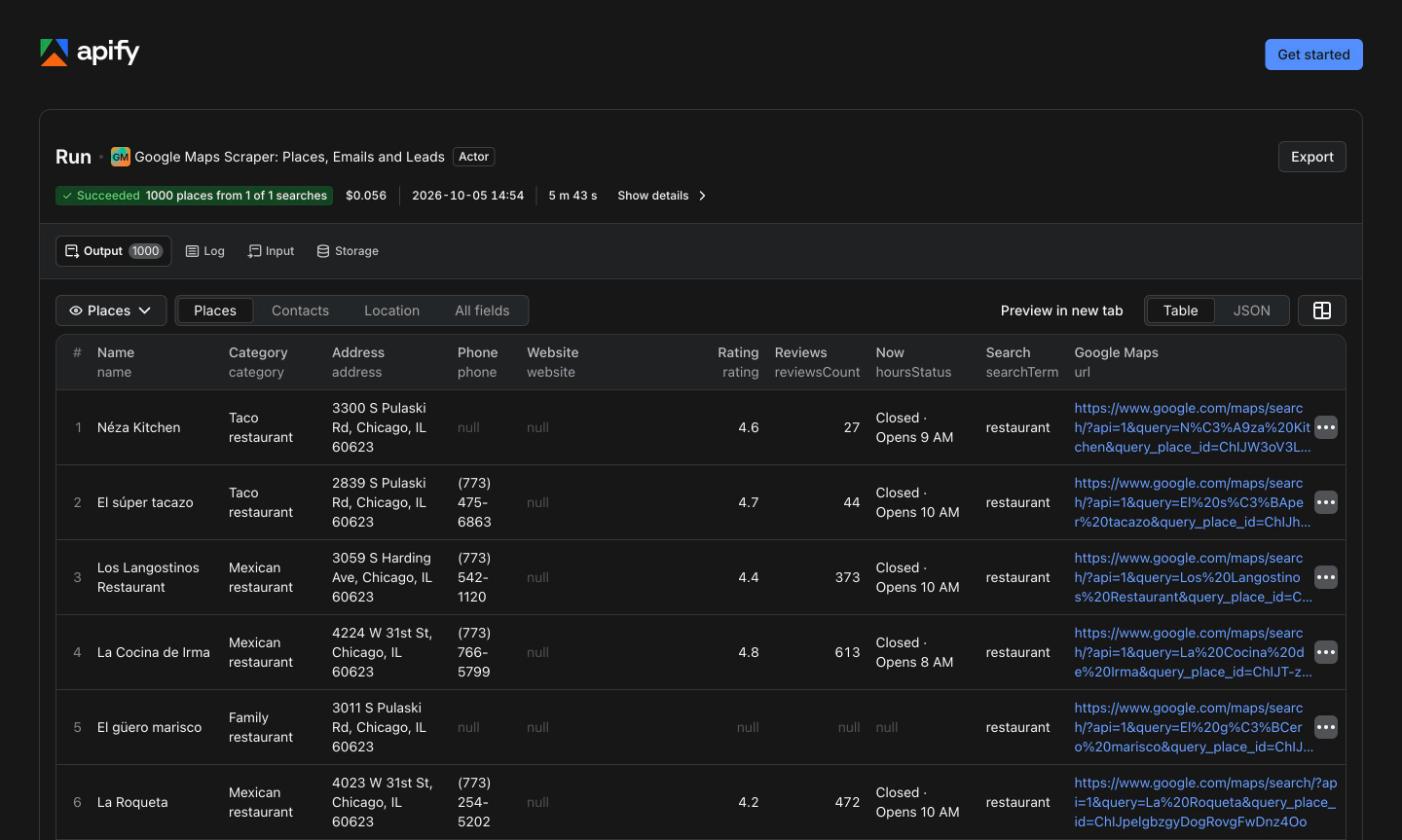
Restaurants in Chicago, 1,000 places with contacts, 346 seconds.
This input returned 1,000 places on Apify on 2026-10-05 (run ChHpIejUmSzTlufrl). One row from it, trimmed:
{
  "searchTerms": ["restaurant"],
  "locations": ["Chicago, USA"],
  "maxPlacesPerSearch": 1000,
  "scrapeContacts": true
}{
"placeId": "ChIJ08HsADQsDogRho4n0e-e9ws",
"name": "Antique Taco Bridgeport",
"category": "Taco restaurant",
"address": "1000 W 35th St, Chicago, IL 60609",
"city": "Chicago",
"postalCode": "60609",
"countryCode": "US",
"latitude": 41.8309356,
"longitude": -87.6512837,
"phone": "(773) 823-9410",
"phoneE164": "+17738239410",
"website": "http://www.antiquetaco.com/",
"rating": 4.4,
"reviewsCount": 1206,
"priceRange": null,
"openingHours": [
{ "day": "Monday", "hours": "Closed" },
{ "day": "Tuesday", "hours": "11 AM-9 PM" },
"...",
{ "day": "Sunday", "hours": "11 AM-9 PM" }
],
"hoursStatus": "Closed · Opens 11 AM Tue",
"timezone": "America/Chicago",
"description": "Seasonal gourmet tacos, Mexican appetizers & margaritas doled out in a counter-service space.",
"cid": "6656290578812255711",
"url": "https://www.google.com/maps/search/?api=1&query=Antique%20Taco%20Bridgeport&query_place_id=ChIJ08HsADQsDogRho4n0e-e9ws",
"searchTerm": "restaurant",
"emails": ["info@antiquetaco.com"],
"socials": {
"facebook": ["https://www.facebook.com/Antique-Taco-158817610862018"],
"instagram": ["http://instagram.com/antiquetaco"]
},
"contactsStatus": "ok",
"contactsError": null
}
Limits
What it does not do, said up front.
- No reviews, images, popular times or Q&A in this version.
- Price range is rare. Google's search answer carries it for very few places (4 of 4,658 rows across our cloud runs). The field stays null rather than estimated, and the run summary says so.
- Residential proxy by default. It is what Google answers in full; datacenter is available and cheaper for us, but capped, and the run says when it was.
- A Google challenge stops the run. If Google answers with its unusual-traffic page or a consent page, the search is marked failed with the reason. The Actor never solves one.
- Some websites refuse to be read. Bot protection on some restaurant sites answers HTTP 403. The Actor sends a browser's User-Agent to websites, which read a few more of them (82.0% against 79.7% on the same 689 Chicago sites), but the rest check more than that and we do not go further. Each such row carries the reason.
Ready-to-run examples
Open one, change the input, run it.
- Dentists in Lyon with emails and phone numbers
- Restaurants in Chicago with phone, website and opening hours
- Plumbers in London with emails and social profiles
- Coffee shops in Berlin rated 4.5 stars and above
- Real estate agencies in Miami with websites
- Businesses without a website in Lyon (web design leads)
- Restaurants in Paris without the chains, 50 reviews and up
Each example opens the Actor on Apify with its input filled in. All examples on the Apify Store.
Pricing
Pay per place, no add-ons.
$1.50 per 1,000 places ($0.0015 each), with opening hours, review count, emails and social profiles, and every filter included. Billed by Apify with platform usage and residential proxy included. A place outside your area, a duplicate, a place past your maximum or one left out by a filter is never charged. Apify's free plan covers about 3,333 places a month.
For developers
The Apify Actor, in one HTTP call.
Run it and get the places back in the same request through the Apify API. Snippets for Node.js and Python are in the Actor's README.
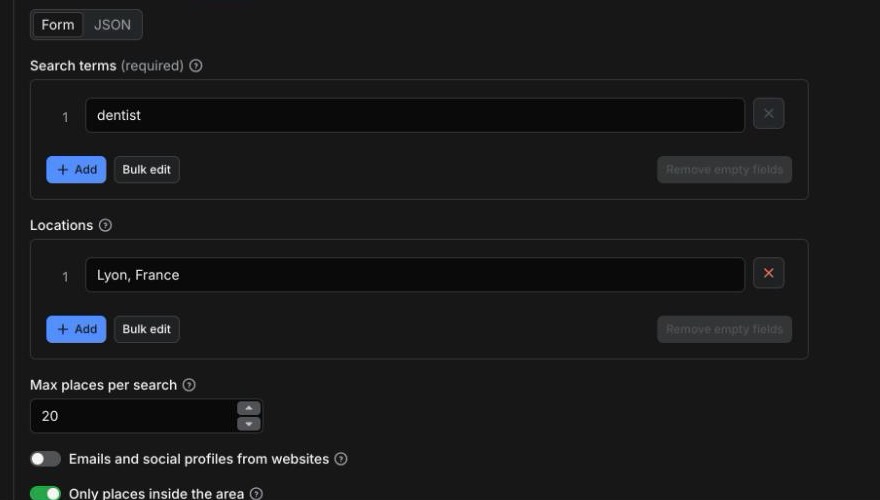
curl -X POST "https://api.apify.com/v2/acts/agenttoolworks~google-maps-places-scraper/run-sync-get-dataset-items?token=YOUR_APIFY_TOKEN" \
  -H "Content-Type: application/json" \
  -d '{"searchTerms": ["dentist"], "locations": ["Lyon, France"], "maxPlacesPerSearch": 100}'
Questions
Do I need a Google account or a Maps API key?
No. The Actor reads the search results Google Maps shows any logged-out visitor, with no account, no cookie and no API key. If Google ever answers with a challenge or its unusual-traffic page, the run stops and says so: it never tries to solve one.
How many places can it get per search?
Google shows about 120 places per map view. The Actor cuts the area into smaller views and keeps splitting the ones that are still full, so a city search goes far past that: 1,000 restaurants in Lyon, Berlin dentists and Chicago restaurants in our cloud runs, up to 50,000 per search. When it stops short of what the area may hold, the search is marked partial with the reason.
Are places outside my city returned?
No, by default. Google pads its answers with places nearby. Each location is resolved to its real boundary on OpenStreetMap, and a place outside that shape is dropped before it is delivered or charged. You can also draw your own area as GeoJSON.
Can I get only businesses without a website, or leave chains out?
Yes, free. withoutWebsite keeps only the places Google Maps lists with no website (web design leads); excludeNameWords and excludeCategoryWords leave out places whose name or category holds a word you list (whole words, case and accents ignored, so McDonald's matches MCDONALDS); minReviews drops places below a review count. A dropped place is never charged, and maxPlacesPerSearch counts only the places delivered.
Does it find emails?
Optionally, at no extra price: the Actor reads each place's own website (the homepage, then up to three contact or imprint pages it links) for emails and social profile links. Measured on 1,000 places: an email on 78% of Berlin dentists' websites and 27% of Chicago restaurants' websites. Every row says whether its website was read and, if not, why.
What does it cost?
$1.50 per 1,000 places ($0.0015 per place), billed by Apify with platform usage and the residential proxy included. Contacts and filters cost nothing extra. Apify's free plan includes $5 of monthly usage, about 3,333 places.
Does it return reviews, photos or the price range?
Not in this version: no reviews, images, popular times or Q&A. The price range is returned only where Google's search answer carries one, which is rare (4 of 4,658 rows across our cloud runs). It is never estimated.
Contact data and GDPR: an email on a sole trader's website is personal data. You are the controller of the contact data you export and of what you do with it; for contacts in the EU, that includes informing them (GDPR Article 14) at your first contact. More in the Google Maps email extractor guide.
Public business listings only: no login, no account, no reviewer data. Area boundaries: Data © OpenStreetMap contributors. Not affiliated with Google or Apify.